Calibration and Cows
Calibrating your robot to a specific field is vital to ensure that your localization, autos, and auto-align functionality remain accurate and consistent. This chapter will discuss the intricacies of field calibration and some methods to do it, as well as how cows are involved.
WPIcal (infused with holiness)
Here are the docs I will be mostly referencing on this page:
https://docs.wpilib.org/en/stable/docs/software/wpilib-tools/wpical/index.html
WPIcal is a tool made by the ever-lovely Worcester Polytechnic Institute based off of Cow-libration (see future pages) that help your robot understand where it is and account for small variations in tag placements.
Calibrate your camera
Start by filming a video with your camera of a ChArUco board (with an odd height if you choose the OpenCV option) making sure to capture various angles to ensure proper calibration.
Example video: Video of online ChArUco board to calibrate camera
A ChArUco board can be generated from this link: calib.io
After filling out all the fields on WPIcal and selecting Calibrate, check the video displayed and if any squares aren’t detected or there’s other weird looking stuff film your video again.
Film your videos
When filming videos of the field, you need at least two AprilTags in each video, and it is preferred if there are more. Don’t sacrifice quality for quantity though, you want WPIcal to still identify the tags you’re filming.
Make sure to always “connect” your videos by having tags in common between them. For example, if your first video is of tags 1, 2, & 3, your next video should include at least one of those three days so the relative distances can be calculated.
Calibrate each pinned tag
Before uploading the ideal field map, double check what type of field (ie. AndyMark or welded) is being used at the competition or field you’re calibrating.
You can select which tags are calibrated using the field calibration of WPIcal if only some AprilTags are needed to be more accurate.
After the calibration, select “Visualize calibration” to compare your tags and check that there aren’t crazy differences between the original position and the calibrated position.
Finally, take the final field calibration json and put it in your code to use!
Cowlibration
Cowlibration is a field calibration tool developed by FRC team #1538, The Holy Cows.
https://github.com/TheHolyCows/cowlibration-field
Flashing Limelights
You've finally gotten hands on a Limelight to use for vision. Yay! Now, you want to know how to flash the Limelight so you can configure it for your robot. Here's an easy guide for that:
First, download the Limelight Hardware Manager from here, along with the correct operating system file for the type of Limelight you plan to flash: https://docs.limelightvision.io/docs/resources/downloads
Next, follow the Quick Start instructions for your specific Limelight to find the config button that you hold down, while plugging into your Limelight over USB. For example, the Limelight 4's config button is hidden inside this tiny hole, that we had to press down with a screwdriver.
[INSERT PHOTO HERE]
Then, switch the Flash OS section of the Limelight Hardware Manager app, and install your drivers if you haven't already. You'll know when your drivers are installed when you see the Drivers dot turn green at the top of the bar.
Additionally, if you have balenaEtcher installed from flashing previous SD cards, please make sure you close it!

Afterward, select your OS's .img or .zip file, make sure the extracted OS is correct, and then select your target device.
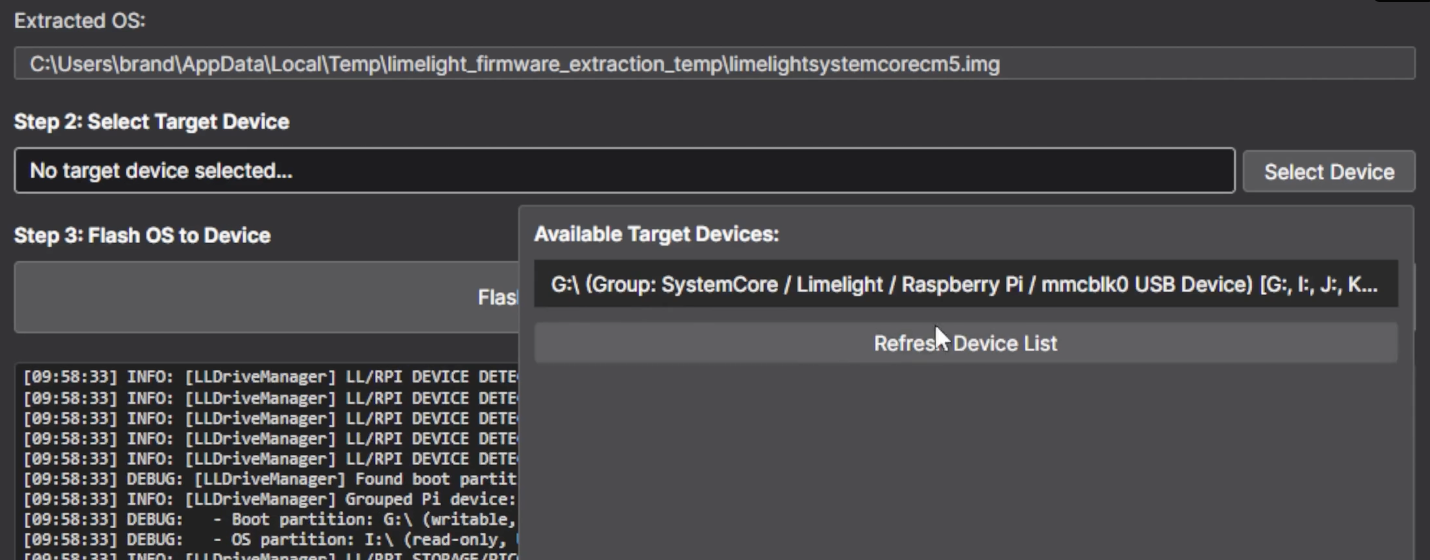
Finally, just hit the green Flash Device button and wait for this notification!
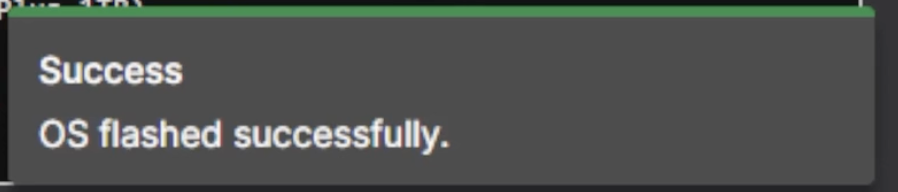
Once you get this notification, you are done!
Here are the links to other resources if you still need any more help!
Video Guide for Flashing: https://vimeo.com/1157367762?fl=pl&fe=cm
Limelight 3 Docs: https://docs.limelightvision.io/docs/docs-limelight/getting-started/limelight-3#4-updating-limelightos
Limelight 3G Docs: https://docs.limelightvision.io/docs/docs-limelight/getting-started/limelight-3g#4-updating-limelightos
Limelight 4 Docs: https://docs.limelightvision.io/docs/docs-limelight/getting-started/limelight-4#4-updating-limelightos
Limelight Cowlibration
If you are calibrating a Limelight Camera check the limelight vision docs linked below: