When using a velocity profile, you are trying to get the motor to spin at a specific velocity instead of a rotating specific amount of rotations.
### The Plot| In Phoenix Tuner, plot **Velocity** *(rotations/sec)* and **Acceleration** *(rotations/sec2)*. |
| - *You might want to turn off Acceleration because it is a very noisy signal* |
Make sure the Reference and ReferenceSlope are from **PIDVelocity** (not PIDPosition)
### Gain Configurations #### Motion Magic - Start with the MotionMagic configs - We don't use the cruise velocity gain in a velocity profile because we are trying to get to a target velocity, not this velocity we are setting - Make cruise acceleration 4, and double from there after more tuning #### FeedForward and FeedBack Try to minimize the amount of feedback gains while tuning, but use them if necessary - **kS** - Set to 1 and start doubling (use binary searching to get the optimum value) - We are trying to get the smallest kS possible before the motor starts turning - **kA** - Change it based on the Reference and our current Velocity signals - The steeper the slope of the Reference, the more we have to increase kA in order to get the Velocity to match it - A steeper slope means a higher kA and vice versa - **kV** - After getting the Velocity to peak along with Reference, it's time to raise kV - Increase kV until the Velocity line stays straight and is closely matching the Reference These should get you pretty close to the Reference line - change kP and kD a little bit to get to your desired accuracy! ### Specifics for Flywheel Tuning While tuning flywheels, we are trying to get the motor to get to its target as fast as possible. When a game piece (such as a ball) goes through it, it should take as little time as possible to ramp back up to speed. - To do make the motor reach its target faster, keep on doubling the Cruise Acceleration until it reaches the speed quickly - For Rebuilt, we decided that less than a quarter second was optimal for reaching the target - Decrease kS and kA little by little until the initial ramp up speed matches the profile (doesn't have to be perfect) [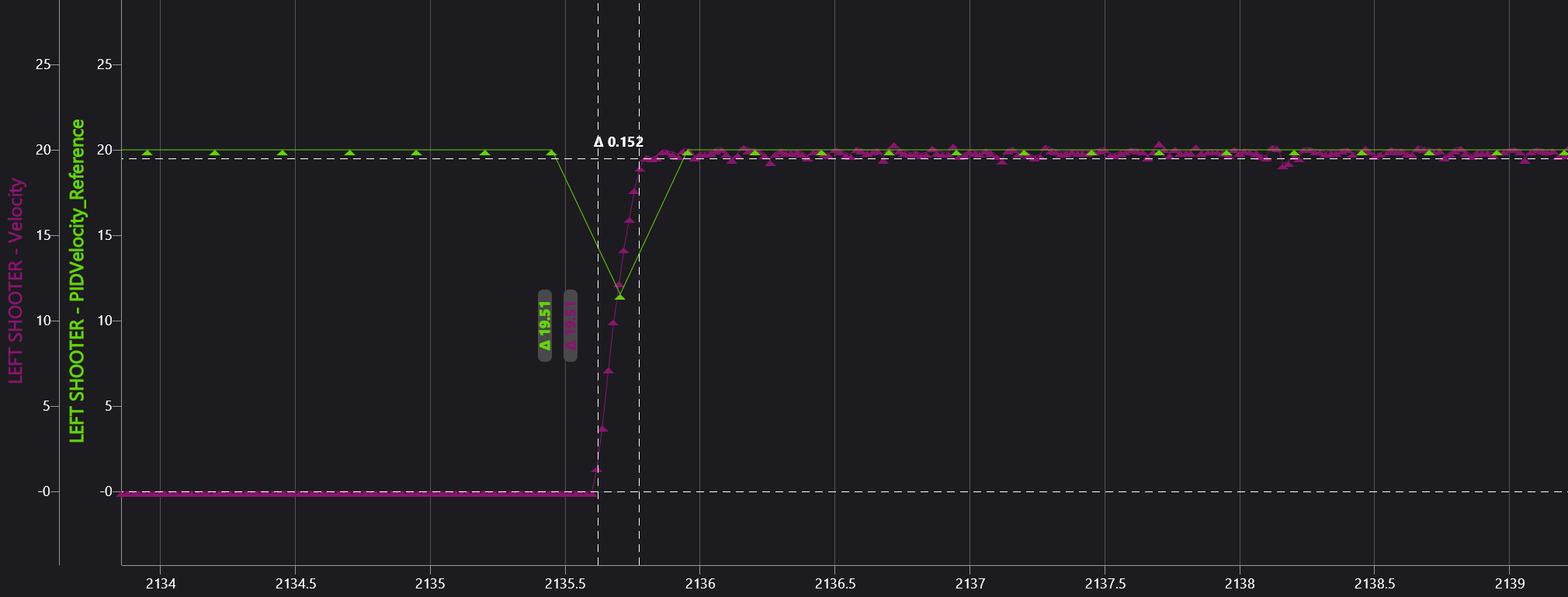](https://wiki.yetirobotics.org/uploads/images/gallery/2026-02/img1forwiki.png) - To make the motor ramp back up quicker, you have to tune other gains a little more - If game pieces are going through in quick succession as the velocity slows down by a lot, then you need to increase kP and kD - Double kP a couple times until the motor doesn't dip as far down in velocity - If there is too much oscillation now, increase kD a little bitRemember: kP makes the motor move faster if the error is bigger, and kD resists changes to the motor's velocity
[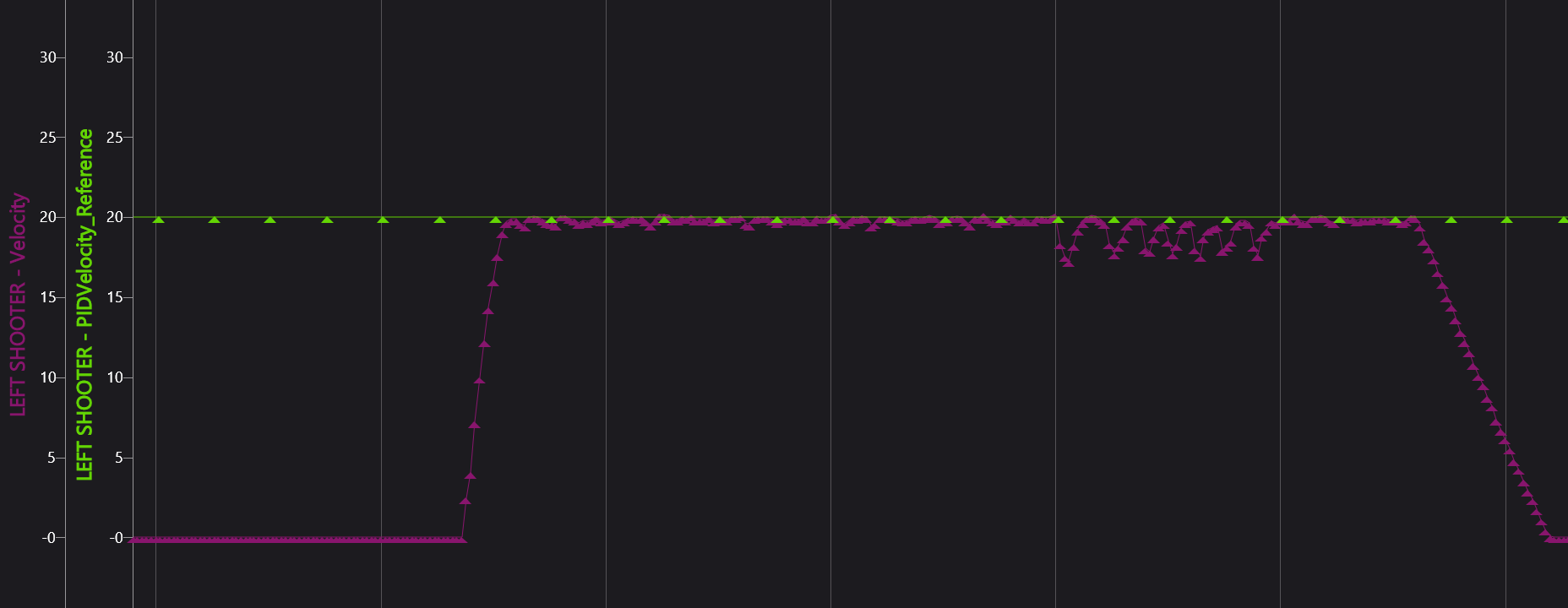](https://wiki.yetirobotics.org/uploads/images/gallery/2026-02/imgforwiki2.png) - - For Rebuilt, we decided that less than a 10th of a second was good for the motor to ramp back up to speed