
Akit File Structure
Overall Structure
When implementing akit into your robot code, you need always need four files for each subsystem: the configs file, the input output interface, input output class, and the subsystem file. For subsystems that move, such as an elevator, you also need an enum for positions.
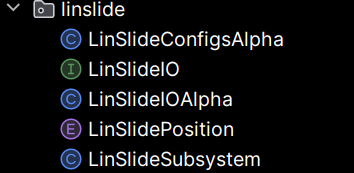
Configs File
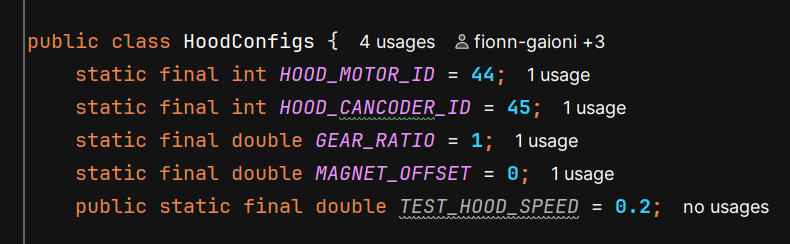
This file lists out all the configurations for the motors and sensors in the subsystem. It includes tuning constants, motor and sensor IDs, motor configs, and any motion magic requests you might need.
Follow the naming convention of "(SubsystemName)Configs".
Subsystem configs example:
Tuning settings example:
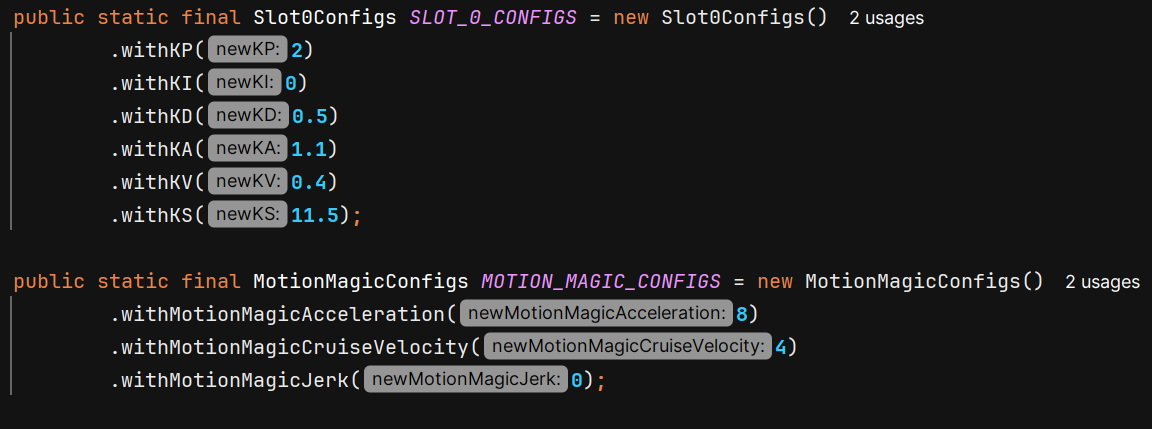
Motor configs example:

Canrange configs example:

Input Output Interface
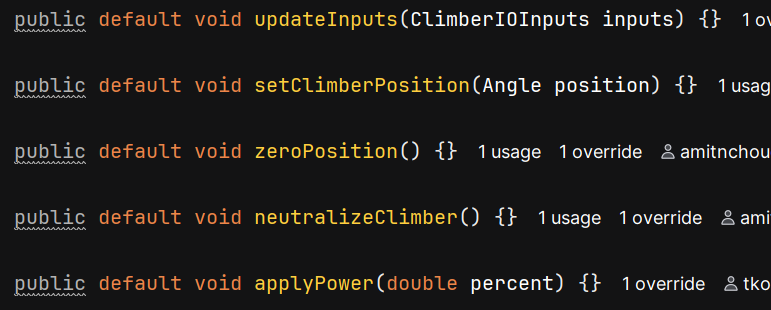
This interface is used to list what you want to log with akit and how you want to be able to control the devices in the subsystem. It includes a class of all the inputs being logged.
The interface should be named "(SubsystemName)IO".
Inputs class to signify what akit is logging (make sure to use the @AutoLog decorator):
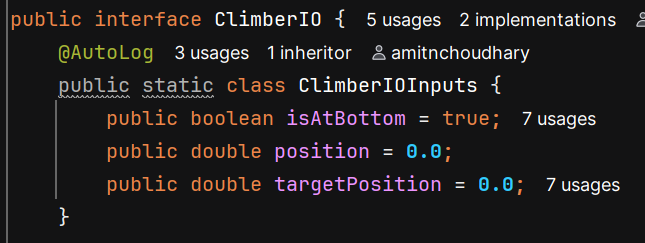
The updateInputs method will be used to log the inputs. Because this is an interface (outside of the ClimberIOInputs from earlier), none of these methods should have any code in them. Each method should have the void return type.type and default keyword - they will only be using control requests when implemented. Every interface needs to include the updateInputs method. This will be used to actually log the inputs.
Input Output Class
This class implements the interface from before. It delineates what the subsystem is able to do, which should already have been decided in the interface.
Name it "(SubsystemName)IO(RobotVersion)". This is the only class that needs a new version for each robot version you have. So you might have a ShooterIOAlpha and a ShooterIOBeta.
Declare any devices and control requests in this class. Notice the use of the implements keyword.

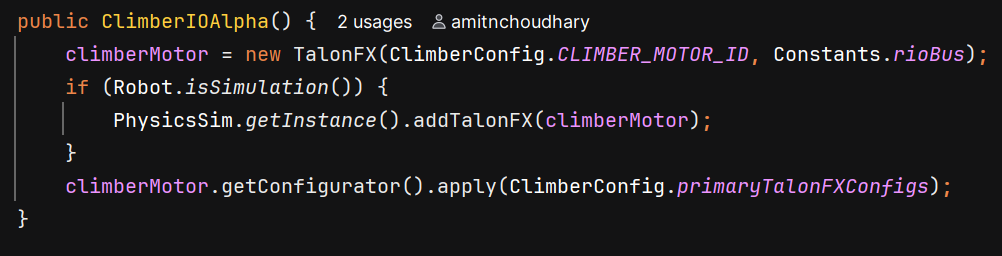
Initialize all devices in the constructor. The if statement is used to add devices to the simulation when the robot is being simulated. You also need to add the configurations from the configs class to the motors and sensors.
This is the implementation of the updateInputs method. The values you want to be updating are those declared and initialized in the SubsystemIOInputs class of the interface. The @Override decorator is needed for all methods in this class.

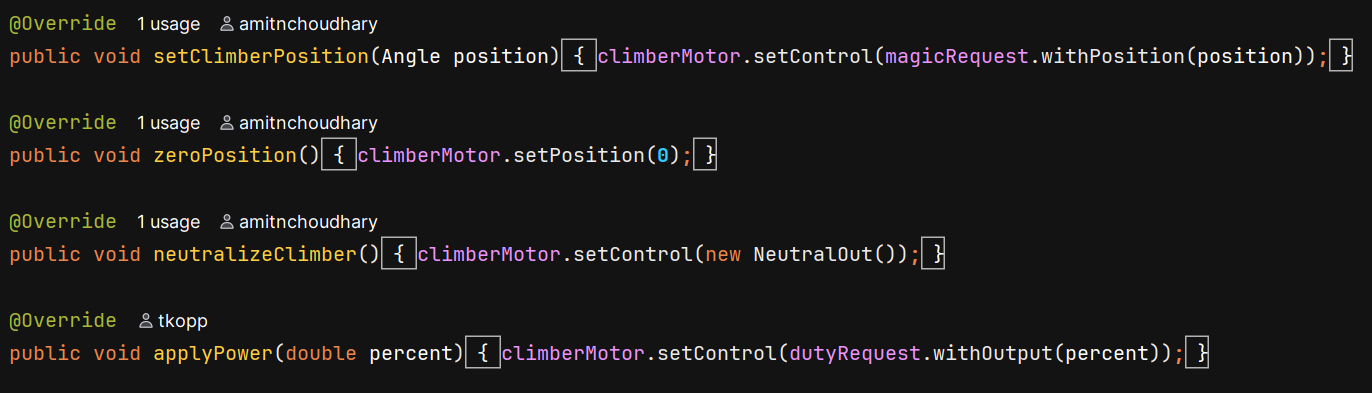
This is the main part of the class. Every method you wrote in the interface will be implemented here. Make sure to use the @Override decorator for each method and to keep the exact same signature as you had in the interface. Each method will control a motor and return nothing.
Subsystem Class
The subsystem class uses the IO class to execute commands to run the motors as you specify.