
Position Tuning with MotionMagicTorqueCurrentFOC
This is a simple guide on how to tune MotionMagicTorqueCurrentFOC:
Firstly, and most importantly, find your maximum and minimum setpoints!!!!!
Put these as preset position rotations in Phoenix Tuner.
If you don't, your robot will break!
Signals:
Add the following signals to the plot:
- Position
- PID Position (Reference)
- Velocity
- PID Velocity (Reference Slope)
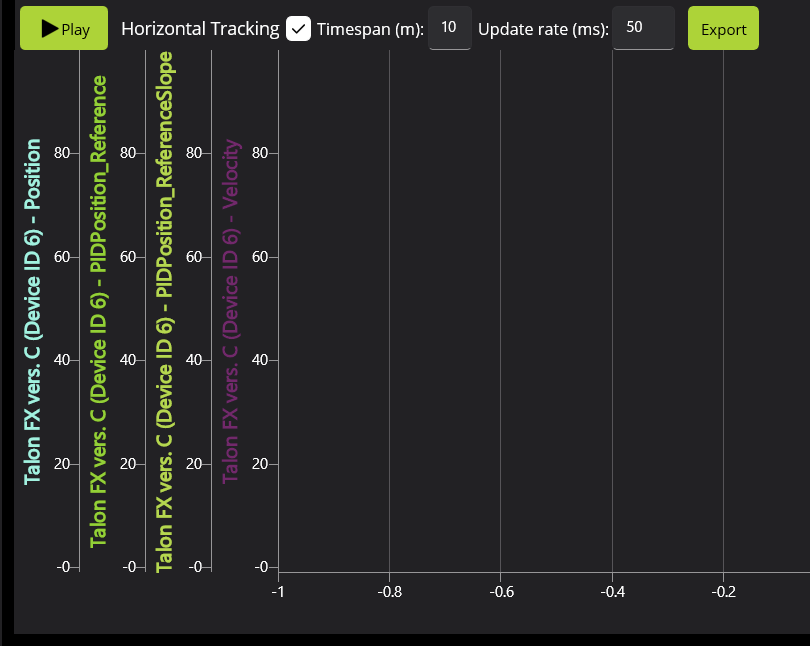
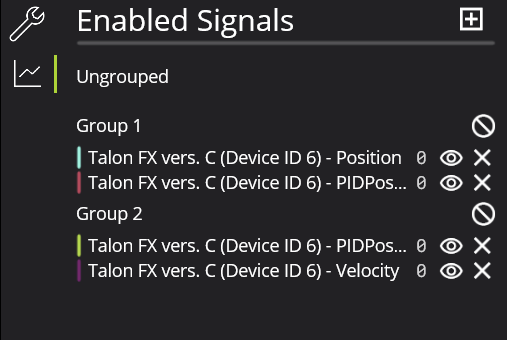
Create two groups to create uniform scales (feel free to change colors as necessary to increase visibility):
- Position & Position (Reference)
- Velocity & Velocity (Reference Slope)
Tuning:
Make sure your motors are working together:
To do this, move each motor in the mechanism separately with positive DutyCycle to find inversions.
Zero all PID gains.
Increase kG to find the smallest possible kG that stops the arm from moving.
Increase kG and find the largest possible kG that stops the arm from moving.
Set kG to the middle of the two values.
Set kS to half the difference between the two values.
Set a setpoint relatively small (typically 0.1 mechanism rotations).
- Increase kP until you notice significant overshoot.
-
Increase kD until the overshoot stops happening. Repeat steps 7 and 8 until increasing kD results in more oscillation, or until the system oscillates on its way to the setpoint. If oscillation on the way to setpoint is seen, decrease kD until it stops. Then reduce kP until any remaining overshoot stops. The goal is to maximize kP and kD to minimize the travel time.Verify gains work for other setpoints as well.
If tuning a turret, start by finding kS by setting a small setpoint and finding the highest value that doesn't move the mechanism. Then continue from step 7 onwards.