Embedding a Google Slide into a Page
This guide will show you how to embed a google slide into a wiki page rather than simply linking to it. The end result will look like this page with our git slideshow.
Creating the embed
Go to a google slide doc
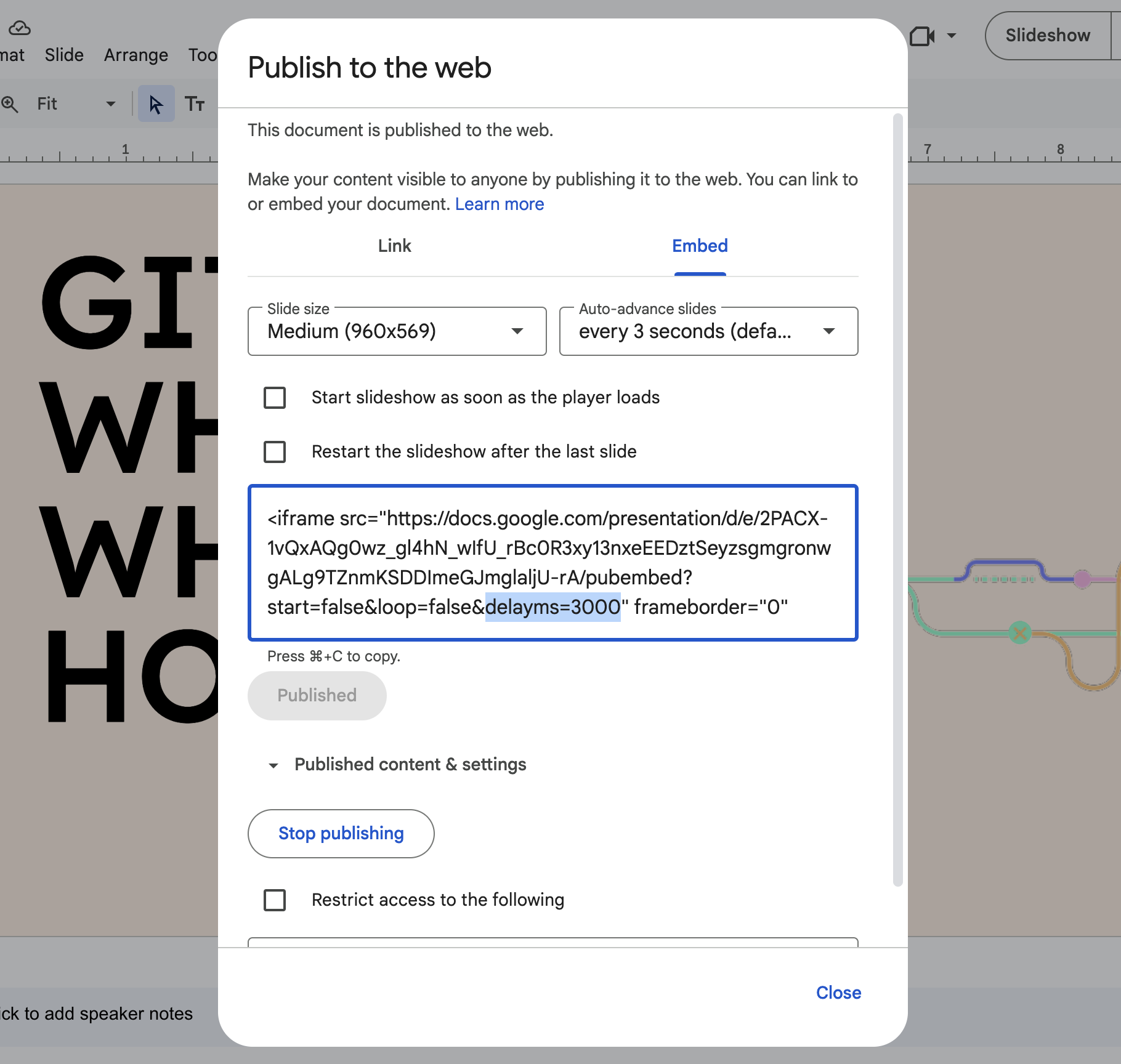
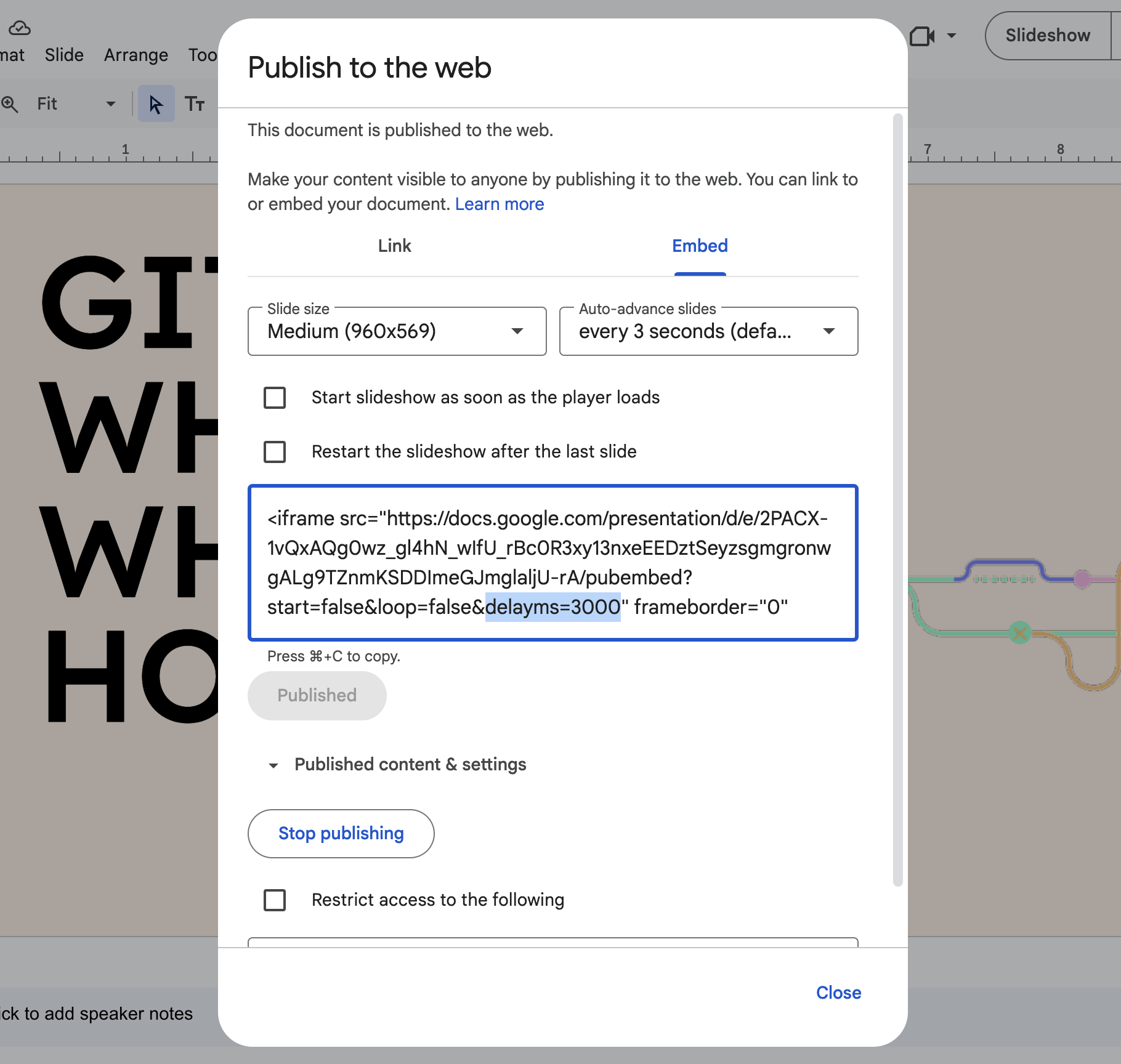
In the File menu in the top left, go to File>Share>Publish to Web
Select the Embed tab
Configure any preferences for the slideshow as you see fit
Note: For whatever reason, you can't make the slideshow auto-advance to the next slide slower than every minute. If you want the slideshow embed to just be static and let people flip through it as they please, you can set the delayms value in the code snippet to a really big number. The value is in milliseconds.
Click Publish
 Adding embed to a wiki page
Copy the entire code snippet in from the embed window in the previous section
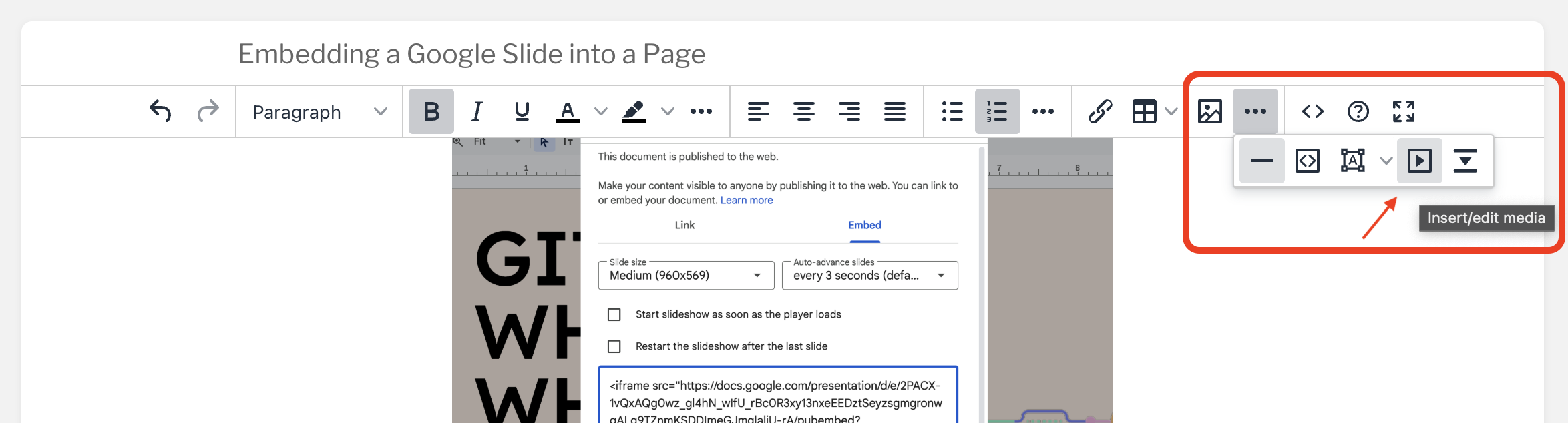
On a wiki page, click the three dots next to the Insert Image button in the toolbar
Click the second button from the right, Insert/Edit Media
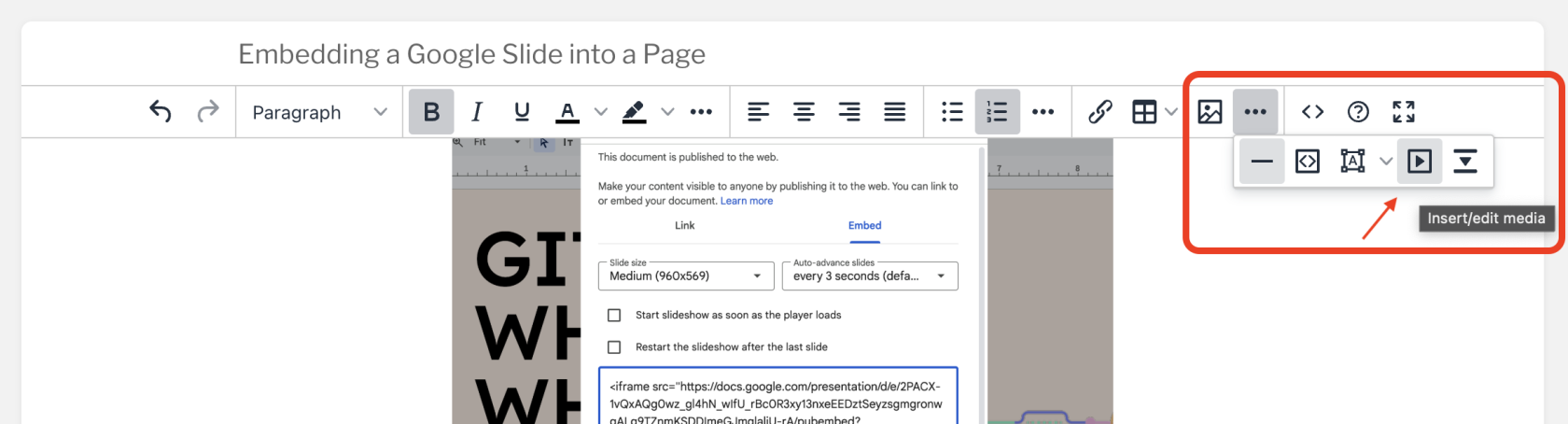
In the Embed tab, paste the code snippet you copied in step 1
Click Save